Kids workbooks / Logic

Kids Logic Workbook Generator: Patterns, Dot to Dot, Coding, Picture Sudoku and Math Mazes for Ages 3 to 11

The LogikLand logic and dot to dot workbook has 5 kinds of thinking worksheets: shape patterns, dot to dot pictures, coding with arrows, picture sudoku and math mazes. Each one starts very simple and gets harder with the level, and the answer key is added at the end.

  • 5 kinds of worksheets
  • Ages 3 to 11
  • Unplugged coding
  • One solution per sudoku
  • Answer key included

5 logic worksheets in one workbook

The pictures below are real pages made by the generator.

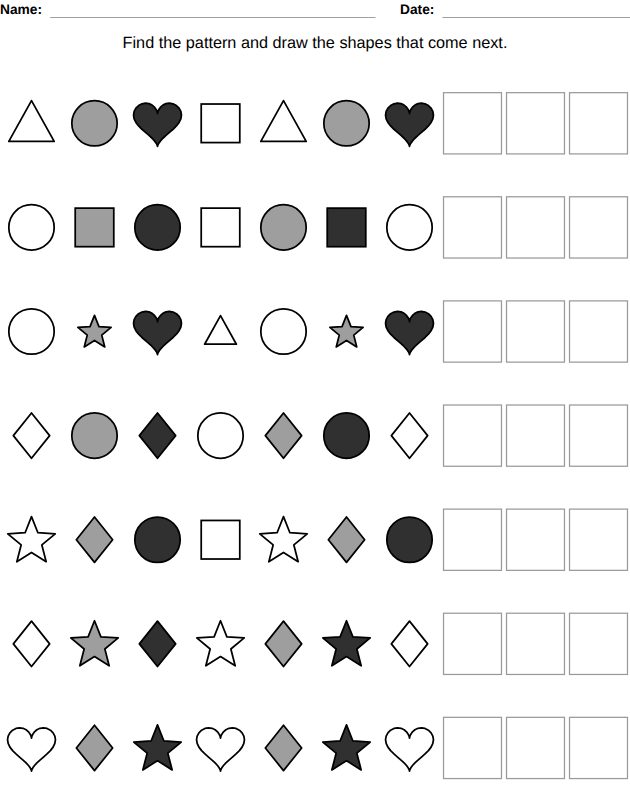
What comes next? worksheet for kids, from the LogikLand logic and dot to dot workbook

1. What comes next?

Ages 3 to 8

Rows of shapes that follow a pattern: the child finds it and draws the shapes that come next in the empty boxes. AB patterns at ages 3-4, then AAB and ABB, then ABC and AABB, and from ages 6-7 longer patterns where the color and the size of the shapes change too.

Two shapes to draw per row at ages 3-5, three after.
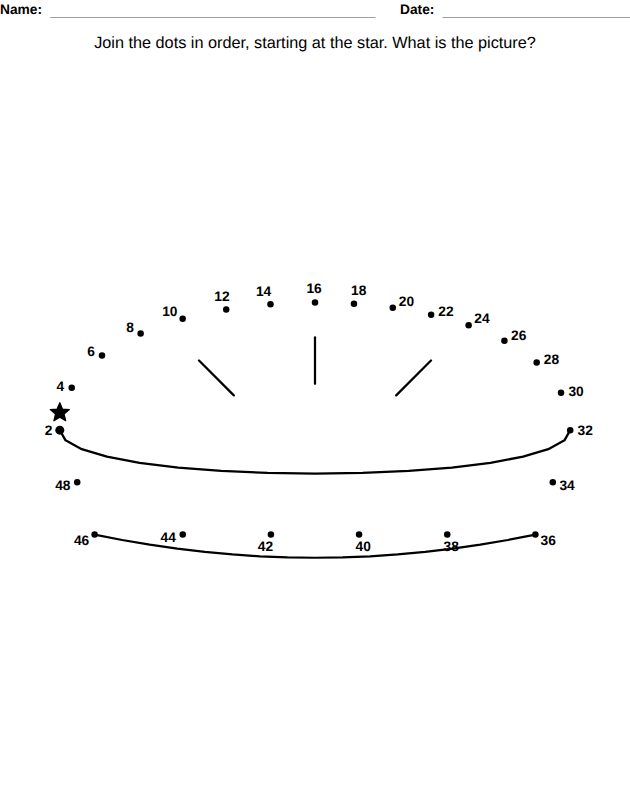
Dot to dot worksheet for kids, from the LogikLand logic and dot to dot workbook

2. Dot to dot

Ages 4 to 11

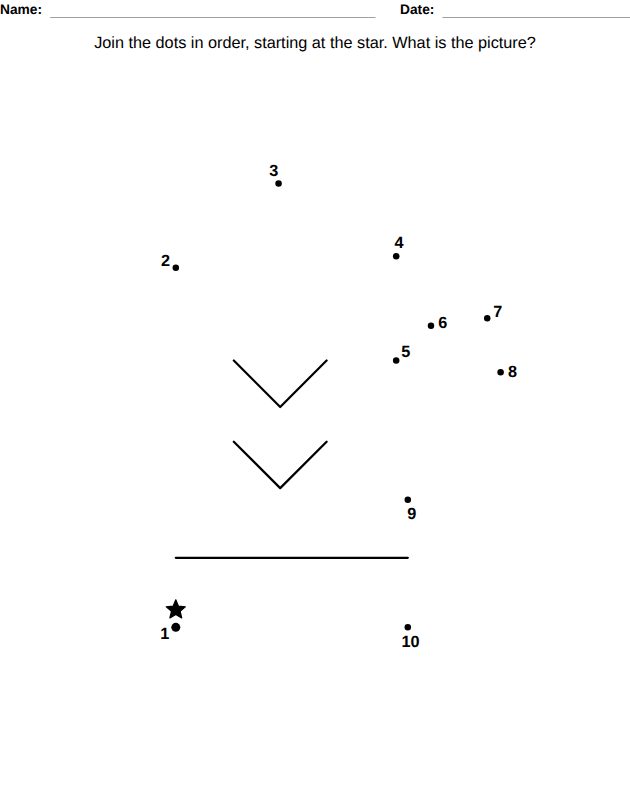
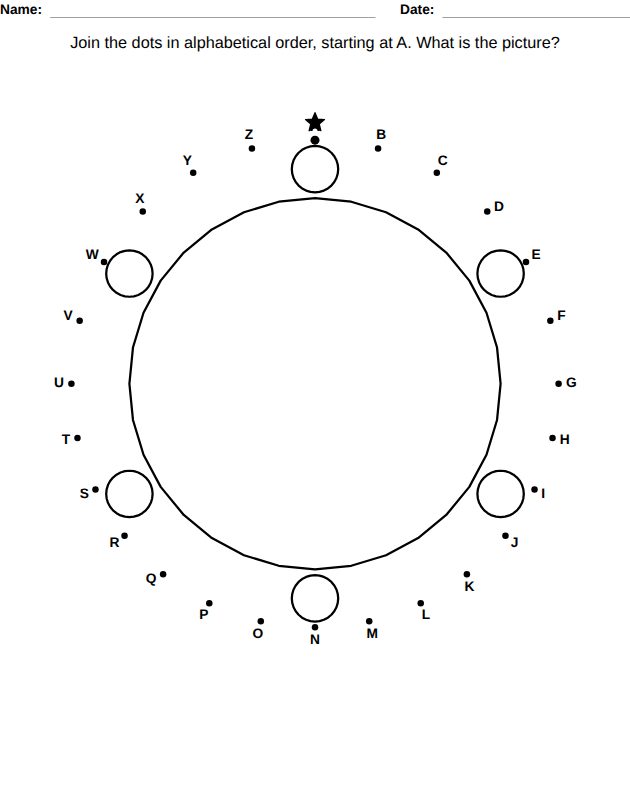
Join the dots in order from the star to find the picture: LogikLand drawings made for dot to dot. 10 dots at ages 4-5, 15 at 5-6, 20 at 6-7. At ages 7-8 the child counts by 2s, at 8-9 by 5s, at 9-10 the dots are the letters of the alphabet, and at ages 10-11 there are 40 dots.

Coding with arrows worksheet for kids, from the LogikLand logic and dot to dot workbook

3. Coding with arrows

Ages 6 to 11

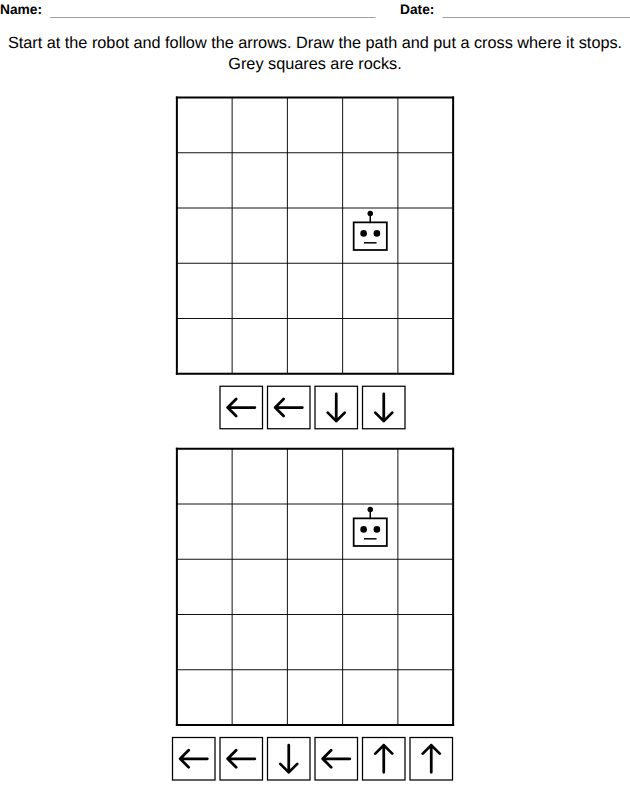
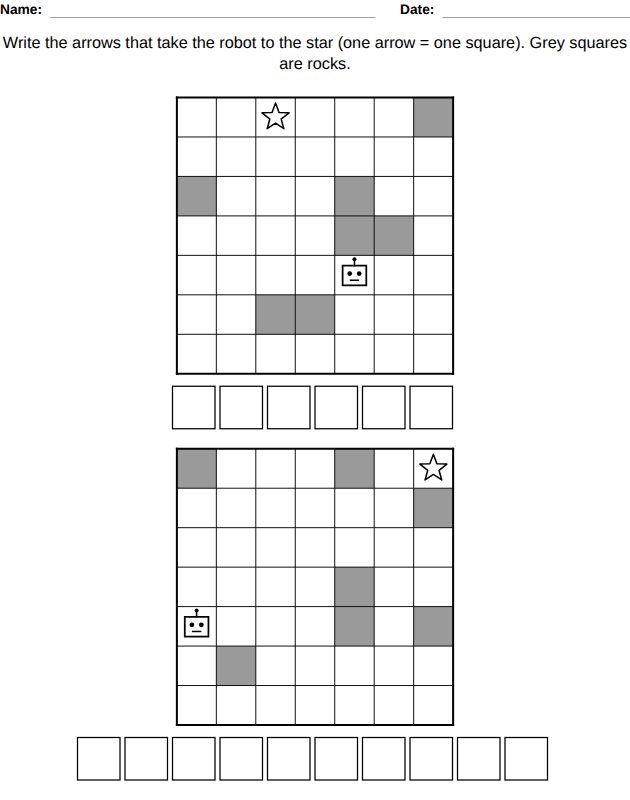
Screen-free coding: a robot on a grid and a row of arrows, one arrow for one square. Up to ages 8-9, the child follows the arrows, draws the path and puts a cross where the robot stops. From ages 9-10, the child writes the arrows that take the robot to the star.

The grid is 5 x 5 at ages 6-7, 6 x 6 at 7-9 and 7 x 7 at 9-11. Grey squares are rocks the robot cannot cross: none at ages 6-7, 4 at 7-9 and 7 at 9-11.

Picture sudoku worksheet for kids, from the LogikLand logic and dot to dot workbook

4. Picture sudoku

Ages 4 to 8

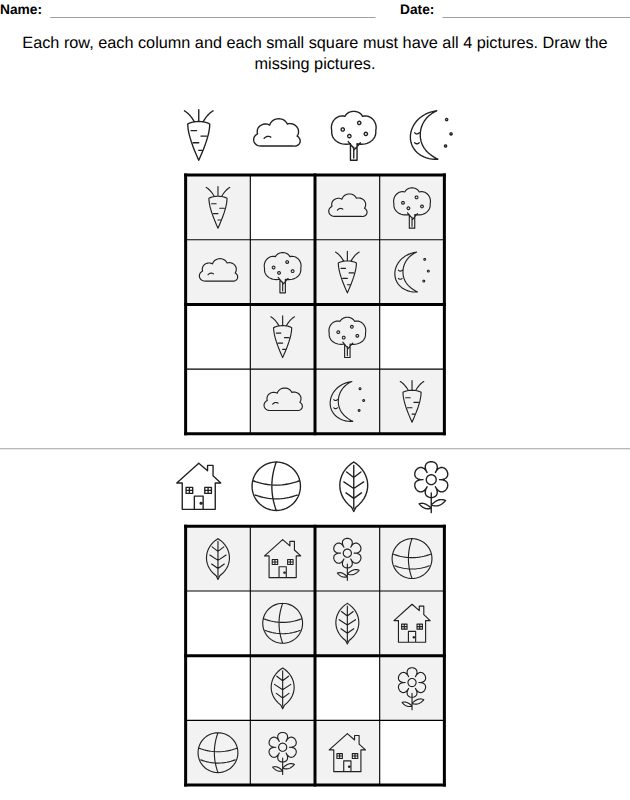
Two 4 x 4 sudoku grids per page with simple pictures instead of numbers (sun, heart, apple, fish…): each row, each column and each small square must have all 4 pictures. 12 pictures are given at ages 4-5, then 10, 8 and 6 at ages 7-8. Every grid is checked to have only one solution.

Math maze worksheet for kids, from the LogikLand logic and dot to dot workbook

5. Math maze

Ages 5 to 11

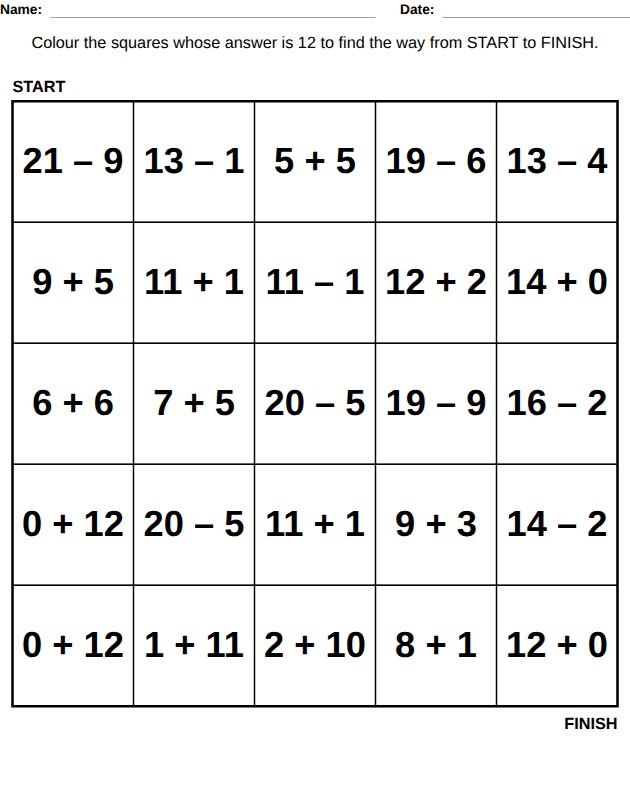
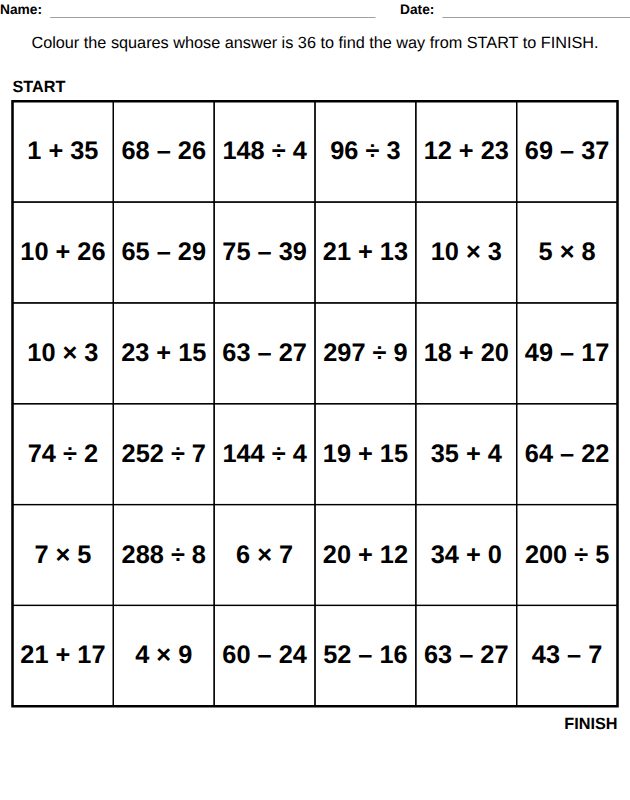
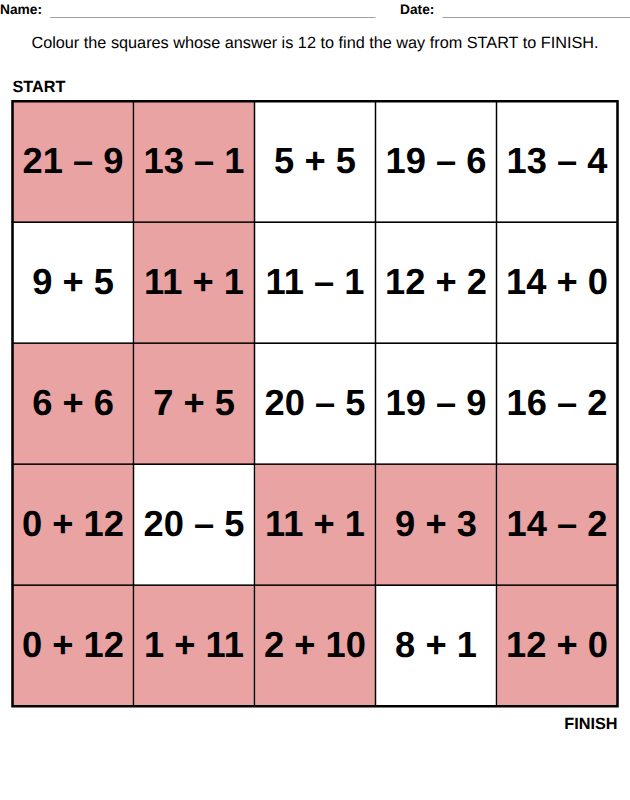
Color the squares whose answer is the target number to find the way from START to FINISH. Small additions and subtractions at ages 5-7, numbers up to 60 at 7-8, multiplication at 8-9 and the four operations at 9-11.

From ages 8-9, some wrong squares have an answer close to the target, so the child has to calculate each square.

One worksheet, many levels: dot to dot from 4 to 11

The dot to dot page uses counting in a different way at each level: counting by 1s, by 2s, the alphabet, and more dots for older children.

Dot to dot worksheet, Ages 4-5: 10 dots
Ages 4-5: 10 dots
Dot to dot worksheet, Ages 7-8: by 2s
Ages 7-8: by 2s
Dot to dot worksheet, Ages 9-10: A to Z
Ages 9-10: A to Z
Dot to dot worksheet, Math maze, ages 9-10
Math maze, ages 9-10

A book with several levels has one section per level, in order. Picture sudoku, arrow coding and math mazes can also be made as a book of their own from the Kids tab of the dashboard.

Coding without a screen

The arrow coding pages teach the first idea of programming on paper: a sequence of instructions, one step at a time. Children first read a program (follow the arrows), then write one (find the arrows that reach the star), with rocks to go around.

Follow the arrows, ages 6-9
Write the arrows, ages 9-11

Answer key at the end of the book

Answer key: math maze

Every logic worksheet has its answer in the answer key at the end of the book: the path of the math maze, the completed sudoku, the finished picture of the dot to dot, the path of the robot. Each answer shows the page number of its worksheet.

How to create this workbook

  1. Create a free account and open the Kids tab of your dashboard.
  2. Click the card of this workbook to see its worksheets and 3 example pages, then click Create this book.
  3. Choose the language, the title and the page size, then the levels by age or by school grade.
  4. Keep the worksheets you want and set the number of pages of each one per level.
  5. Choose the answer key and the margins, generate the book, then download a PDF or a PPTX file from the editor.

Every option is explained in the kids workbooks guide, and all the other workbooks are on the kids workbook generator page.

Frequently asked questions

Which ages does the logic workbook cover?

Ages 3 to 11 (Preschool to Grade 5 for a book in English). Patterns are for ages 3-8, picture sudoku for 4-8, dot to dot for 4-11, math mazes for 5-11 and arrow coding for 6-11.

Does every picture sudoku have only one solution?

Yes. Each 4 x 4 grid is checked by the generator, and a grid with more than one solution is not used.

Can I make a book of picture sudoku, math mazes or arrow mazes only?

Yes. Each of these has its own card in the Kids tab of the dashboard, or you can untick the other worksheets in the logic workbook.

Where do the dot to dot and sudoku pictures come from?

They are LogikLand drawings. The dot to dot pictures are drawn to be joined dot by dot, and the sudoku uses simple pictures that a child can draw again in the empty squares.

Can I sell the logic workbooks I create?

With a PRO or EXPERT plan, which include commercial rights, you can publish and sell your books, for example on Amazon KDP. Books made on the FREE plan are for personal use. The page limit per book is 50 on FREE, 100 on PRO and 200 on EXPERT.

Create your logic and dot to dot workbook

Create a free account to try it, or choose a plan for longer books and commercial rights.

Related: All kids workbooks / Kids workbooks guide / Kids Sudoku book generator / Kids maze book generator / Plans and pricing

Last updated: October 28, 2026