A handwriting workbook should do more than letter tracing: it should prepare the hand, teach the letters, and then use them in words. This article shows the pages of the LogikLand handwriting workbook and how to make one.
What goes in a handwriting workbook
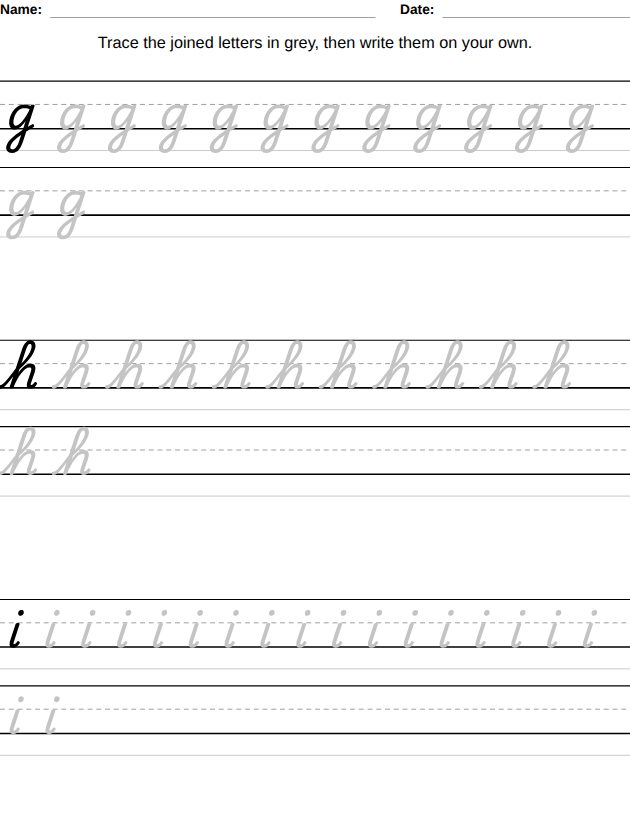
The workbook has pencil control, cutting practice, tracing numbers, capital and lowercase letters with the stroke order, letters with accents (in the French, Spanish, German and Italian books), the child’s name, pattern borders, alphabet games, first letter, write the word, and cursive letters and words. Tracing pages are described in handwriting practice worksheets, from tracing to cursive.
Alphabet games
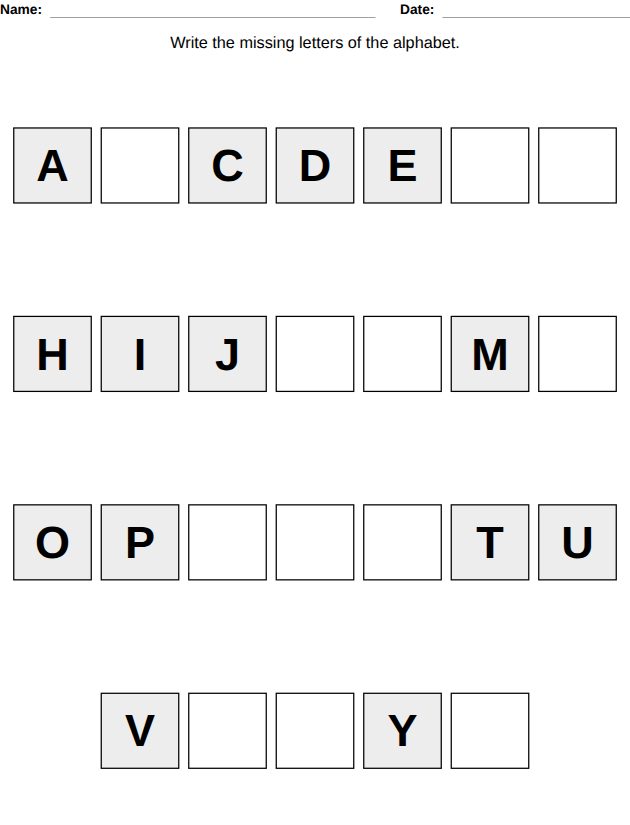
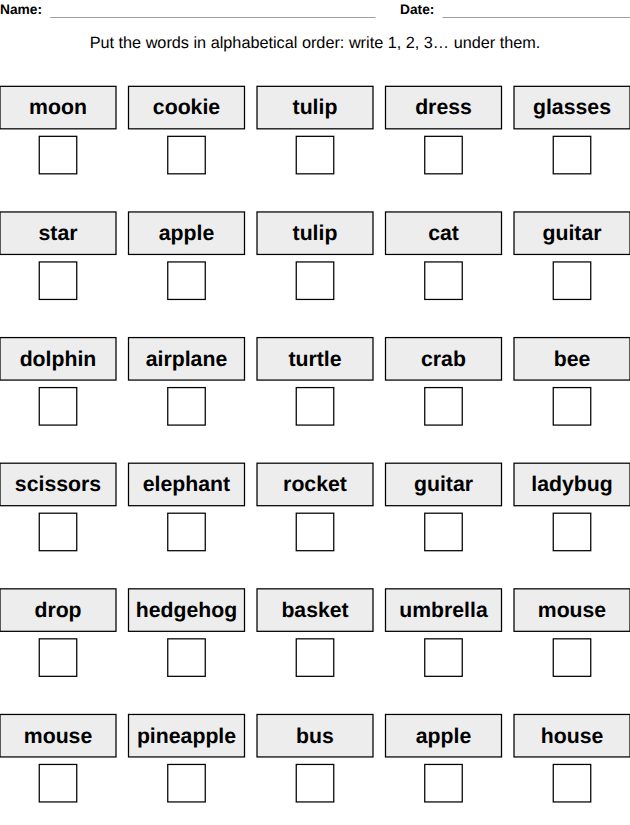
Once the letters are known, the alphabet games make the child use them. On the missing letters page, the alphabet has gaps: 2 or 3 letters missing per line at ages 4-6, then pieces of the alphabet with 4 missing letters, and at ages 7-9 the letter before and after 12 letters. On the alphabetical order page, the child numbers letters or words in order; at ages 9-10 at least two words start with the same letter, so the second letter decides.
From letters to words
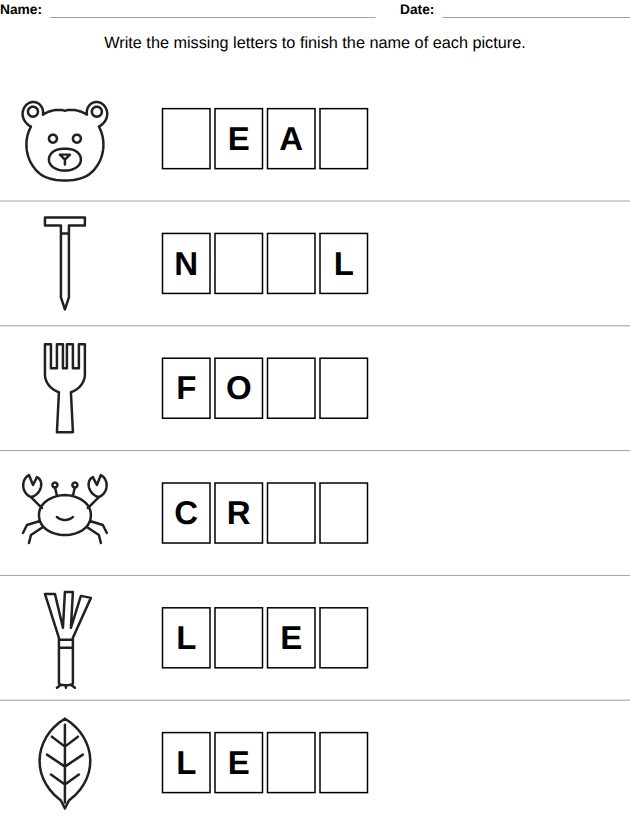
On the write the word page, a picture has a row of boxes, one per letter. Only one letter is missing at ages 5-6, half of the letters at 6-7, only the first letter is given at 7-8, and no letter at all at 8-9. The pictures are LogikLand drawings and the words are in the language of the book.
The child’s name
You type the child’s first name in the book settings. The page shows the name with the starting dots and stroke numbers, then dotted copies to trace and, from ages 5-6, an empty line to write it alone. Without an account, the free name tracing worksheet does the same on one page.
Make the workbook, step by step
- Open the Kids tab of the dashboard and click the Handwriting Workbook card: it shows the list of worksheets and 3 example pages. Click Create this book.
- Choose the language (English, French, Spanish, German or Italian), the title and the page size: 8.5 x 11 inches is recommended, because the worksheets are designed for this size.
- Choose the levels by age or by school grade (from Ages 3-4). A book with several levels has one section per level, with a separator page before each one.
- Untick the worksheets you do not want and set the number of pages of each worksheet per level, from 0 to 60.
- Keep or remove the answer key at the end (2 or 4 answers per page, each with the page number of its worksheet) and the certificate. The page counter compares the book with the page limit of your plan.
- Click Generate Book: the book opens in the editor, where you can change texts and download a PDF.
Tip
Tracing pages have no answer: the answer key covers the worksheets that have one, such as the alphabet games and the spelling pages.
Plans
Every workbook is available on every plan. The plan sets the maximum number of pages per book (50 on FREE, 100 on PRO, 200 on EXPERT). Books made on the FREE plan are for personal use; the PRO and EXPERT plans include commercial rights, for example to publish the book on Amazon KDP. See the kids workbooks guide for every setting.
Questions
Which ages does the handwriting workbook cover?
From pencil control at ages 3-4 to cursive sentences at ages 9-11. Each worksheet only appears at the levels where it exists.
Can I put my child’s name in the book?
Yes. When the name worksheets are selected, a field asks for the first name (20 characters at most).
Why are some pages blank?
A cutting practice page is placed on a right-hand page and its back is left blank, so the child can cut it out without cutting another worksheet.
Which cursive is used?
The school cursive font of the country of the book language, for example American cursive in English.
Related articles
- All-in-One Kids Workbook by Age: Every Subject in One Book
Eight subjects in one book, an example for ages 6-7, and how to stay under the page limit.
- How to Make a Picture Activity Workbook for Preschool
Picture activities for ages 3 and up, with pages to cut out and a picture dictionary in one or two languages.
- How to Make a Logic Workbook for Kids
Five logic games in one book, including screen-free coding with a robot on a grid.
- How to Make a Fractions, Measurement and Money Workbook
Four topics of everyday math in one book for ages 5 to 11.
- How to Make a Coloring and Drawing Workbook for Kids
Six coloring and drawing activities, from tracing a drawing at age 3 to symmetry on a 12x12 grid.
- How to Make a Word Games Workbook for Kids
Five word games in one book, with grid sizes and word lengths by age.
Sources
This article is based on LogikLand's own puzzle generators.
Want to make a whole kids workbook?
LogikLand makes complete educational workbooks for ages 3 to 11: math, telling time, handwriting, word games, colouring, money, logic and picture activities, with the answer key at the end. Commercial rights come with the PRO and EXPERT plans.
Related: All blog articles | Try the tool | All free puzzle generators | More Kids worksheets articles