Free tool · No account needed
Free Calcudoku Generator
Generate a Calcudoku from 4 x 4 to 7 x 7 and print it with its solution. Fill the rows and columns with each digit once, and make every cage give the result shown in its corner.
Free tool, for personal use, one puzzle at a time. The PDF is a US Letter page with a small LogikLand footer.
What is a calcudoku?
Calcudoku is a math grid with a Sudoku feel, and there are no boxes to worry about. The bold cages hold a result and an operation, and the digits in the cage must produce that result.
The levels add operations step by step: addition and multiplication at Easy, subtraction at Medium, then division at Hard and Expert, with larger cages at the end.
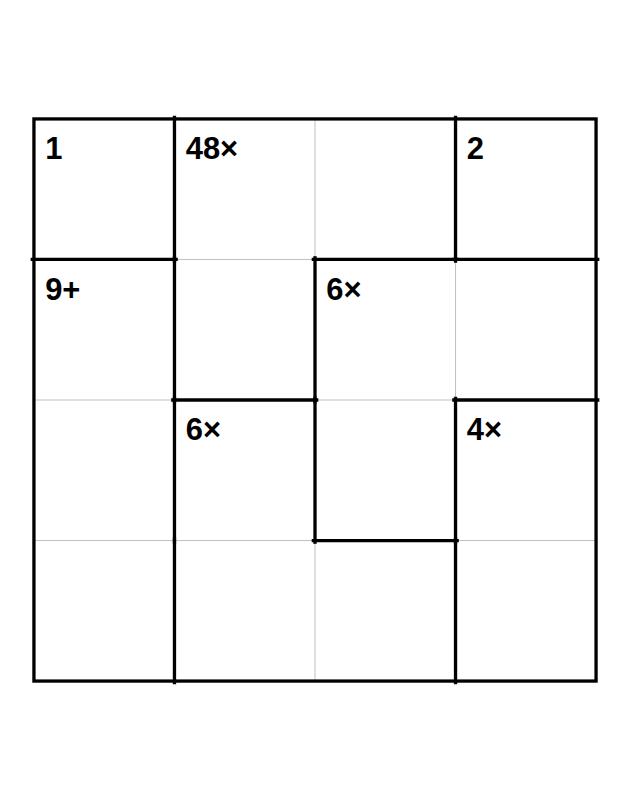
Free Calcudoku Generator: examples
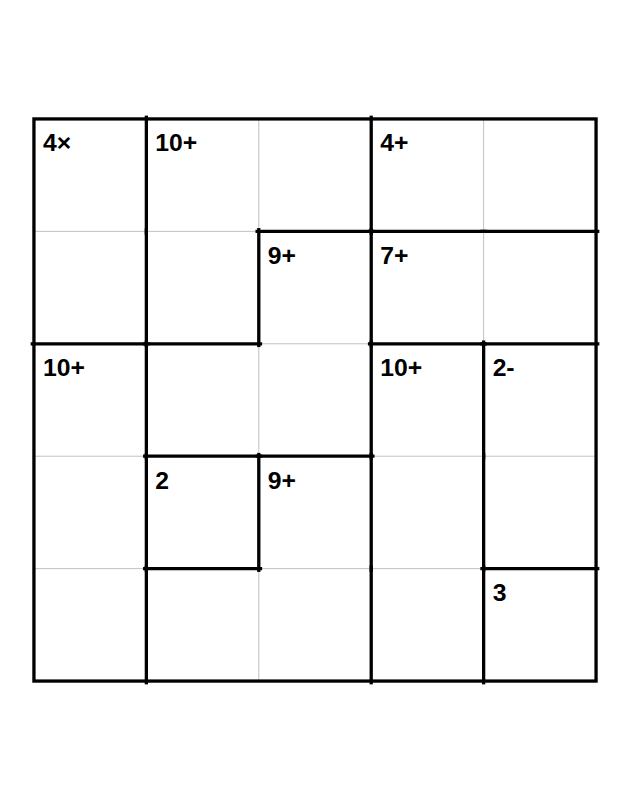
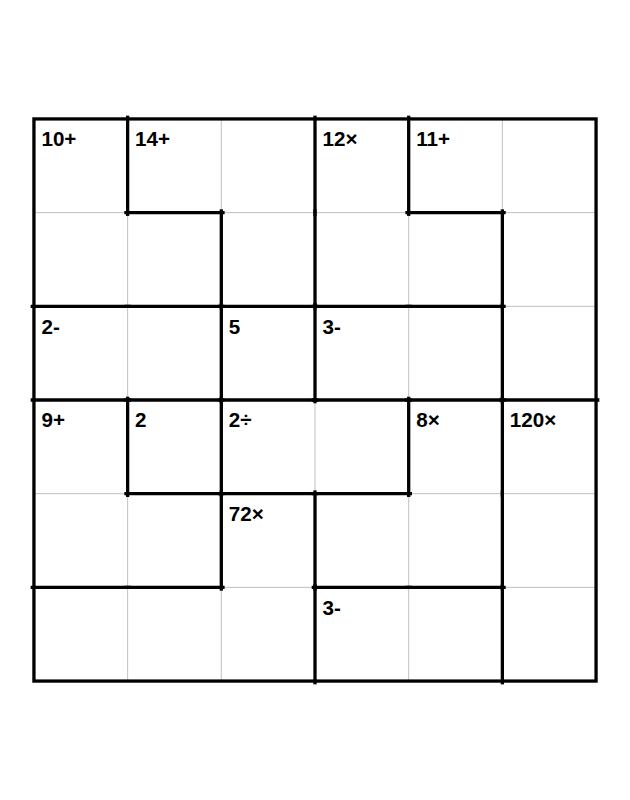
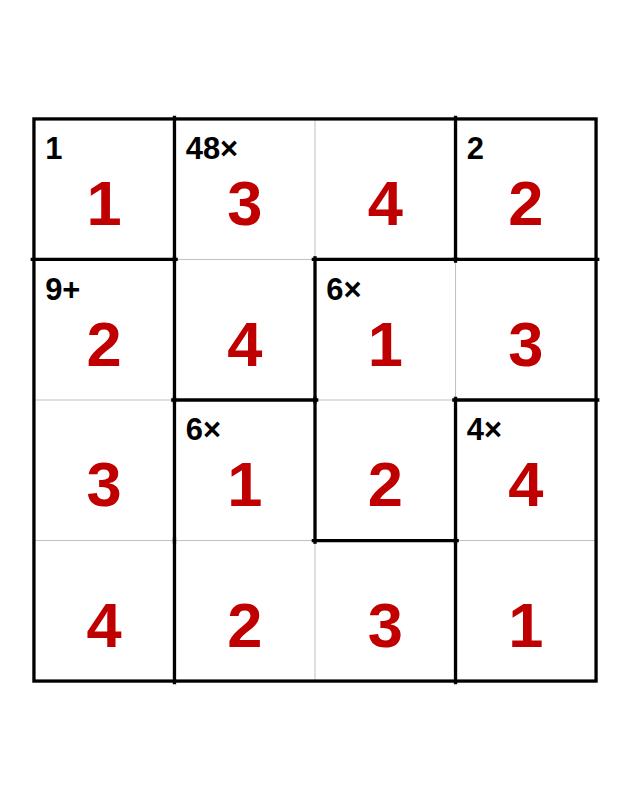
How to play Calcudoku
- Fill the grid so that every row and every column contains each digit exactly once: 1 to 4 in a 4 x 4 grid, 1 to 5 in a 5 x 5 grid, and so on.
- The grid is divided into cages outlined in bold. The number in the corner of a cage is the result of the operation shown (+, -, ×, ÷) applied to its digits. For - and ÷, start with the larger digit. A cage with a single number gives its digit.
- A digit may repeat inside a cage, as long as it is not twice in the same row or column. Every grid has a single solution.
How to start
Begin with single-square cages, which give their digit directly. Next look at two-square division or subtraction cages in the larger grids: few pairs can produce those results.
The levels
| Level | What you get |
|---|---|
| Easy | 4 x 4 grid, + and × |
| Medium | 5 x 5 grid, + - × |
| Hard | 6 x 6 grid, + - × ÷ |
| Expert | 7 x 7 grid, + - × ÷, larger cages |
Tips
- For subtraction and division, start with the larger digit.
- A digit may repeat inside a cage, as long as it is not twice in the same row or column.
- Add up a full row when you need a check: in a 4 x 4 grid, it always totals 10.
Want to publish your own puzzle book?
This free tool makes one puzzle at a time, for personal use. With a LogikLand account, you can build a whole Calcudoku book as a PDF or an editable PPTX file. See how in the Calcudoku book guide.
Frequently asked questions
Is this calcudoku generator free?
Yes. The tool is free and needs no account: choose a level, create the puzzle and download the PDF. The PDF carries a small LogikLand footer and is for personal use, at home or in a classroom.
Can a digit repeat inside a cage?
Yes, as long as it is not twice in the same row or column.
Which operations are used at each level?
Easy uses + and ×. Medium adds -. Hard and Expert use +, -, × and ÷.
What changes between the levels?
Easy: 4 x 4 grid, + and ×. Medium: 5 x 5 grid, + - ×. Hard: 6 x 6 grid, + - × ÷. Expert: 7 x 7 grid, + - × ÷, larger cages.
Can I make a whole book of these?
Yes, with a free LogikLand account: the Calcudoku book wizard makes many pages in one book, with the solutions at the end, as a PDF or an editable PPTX file. The FREE plan makes books of up to 50 pages, PRO up to 100 and EXPERT up to 200. The PRO and EXPERT plans include commercial rights.
Related articles
- How to Solve Calcudoku: Beginner Strategies Step by Step
A five-step beginner method for Calcudoku with product tables and a 5 x 5 grid solved step by step.
- Advanced Calcudoku Techniques for Harder Grids
Five techniques for hard Calcudoku grids, shown on a real 6 x 6 grid with every step checked.
- Printable Easy Calcudoku Puzzles (Free PDF)
Six easy 4 x 4 Calcudoku grids to print, with solutions, a guided start and a cheat sheet of pairs.
- How to Solve Hitori: Beginner Strategies Step by Step
A five-move method for solving Hitori, shown square by square on a real medium grid.
- Binary Puzzles for Kids: How to Start (Printable Sample)
How to introduce binary puzzles to children, with a checked 4 x 4 starter, an Easy 6 x 6 and the settings to use in the assistant.
- Printable Easy Sea Battle Puzzles (Free PDF)
A free five-page PDF with six Easy Sea Battle grids and their solutions, with the first grid solved step by step.
More free tools: All puzzle generators | Word Scramble | Killer Sudoku | Nonogram | Kakuro
Last updated: November 2026